Stop The Tsunami Controls for Digging and Machines
Typical Roblox PC and mobile inputs for Stop The Tsunami!鈥攁lways confirm prompts in your session.
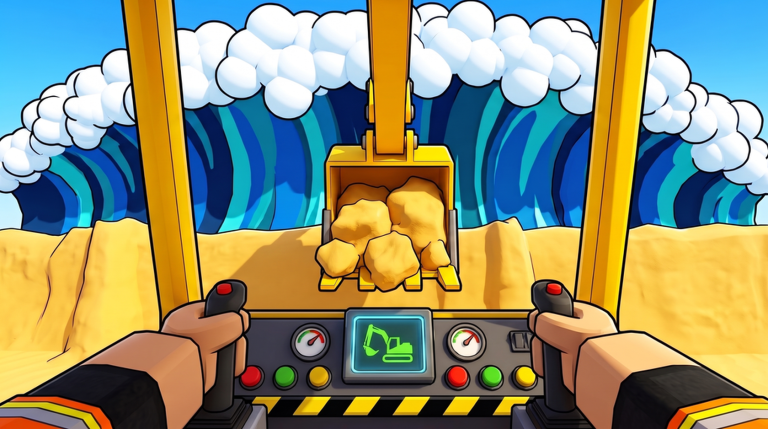
Stop The Tsunami! runs on familiar Roblox movement with game-specific dig, pack, drive, and round-start actions layered on top. Exact key labels can change with patches, device type, shift-lock, or custom Roblox settings, so treat this page as a practical map of what you will do, not a warranty that every bind is identical in your client. When the game shows an on-screen prompt, trust that prompt first.
Use this guide with Getting Started for the early loop and Build Defenses for what to dig and pack. Role context lives on the Players Hub.
Mindset before keybinds
You will repeatedly: move along the beach, dig sand, place or push material into walls and trenches, pack loose piles, enter and drive machines, then activate START ROUND when the line is ready. Coins arrive after you hold the wave. Because co-op shares machines and a wallet, controls skill includes leaving a vehicle where a teammate can take it鈥攏ot only mastering your own fingers.
If something does nothing, check whether you are too far from the interactable, already holding the wrong tool, seated in a machine that needs a different action, or blocked by a tutorial lock. Look for billboard prompts near CODES areas, machines, and the round start control in the lobby or beach UI.
PC controls (typical Roblox patterns)
Movement usually follows standard Roblox: W A S D to walk, mouse to look, Space to jump. Many players enable Shift lock or first-person for finer dig aiming; neither is required, but both help when trimming trench edges.
Camera is commonly right-mouse drag or the default Roblox camera follow. Zoom with the scroll wheel so you can see wall height before you pack. Overhead views help spot flank gaps; close views help precision packing.
Digging and building are usually click- or tap-adjacent: left click or the prompted interact key near sand and tools. With the toy spade or shovels equipped, face the sand, use the dig action shown on screen, then move piles into your wall or trench line. Packing is a separate discipline鈥攁fter volume is placed, use the pack interaction on the pile until it reads as compacted. Skipping pack is the most common 鈥渕y controls are fine but I still lose鈥?failure.
Machines (bulldozer, skid steer, excavator, dump truck) typically use a proximity interact / E (or the on-screen seat prompt) to enter. Once seated, WASD often steers or drives, with click or additional binds for dig arms, push blades, or dump actions depending on the vehicle. Exit with the same interact pattern or the leave-seat control Roblox shows. Because binds can differ per machine, read the tip that appears when you first sit down.
START ROUND is an explicit UI or world button, not a hidden combat key. Walk up, follow the prompt, and only confirm when teammates are ready. There is no benefit to binding a panic start while a dump truck is still hauling clay.
UI extras 鈥?Daily Spin, daily rewards, Beach Club Rewind, and the lobby CODES area are click targets. Hover or approach until the cursor or proximity prompt appears. Creator jzf25 may move these panels; search the lobby if a menu moved after an update.
Mobile controls (joystick and buttons)
On phones and tablets, expect a left-side joystick for movement and right-side action buttons for jump, dig, interact, and context actions. Digging is usually a thumb tap on the dig button while aimed at sand; packing uses the pack or interact button on a placed pile. Camera drag is typically a finger swipe on empty space鈥攑ractice until you can keep the wall crest in view while moving.
Entering machines on mobile uses the on-screen interact button when you stand close enough. Driving uses the joystick; tool actions appear as extra buttons while seated. If a button is missing, you may be out of range, on the wrong tool, or need to rotate the camera toward the prompt. Portrait mode can crowd the UI鈥攍andscape often makes machine buttons easier to hit during haul runs.
Touch latency matters on Hard. Pre-position before the wave, pack early, and avoid last-second dump truck turns that need pixel-perfect steering on a small screen. If co-op teammates are on PC, let them take precision excavator work while mobile players pack and patch.
Digging, packing, driving, and starting 鈥?checklist
- Move to open sand with movement keys or joystick.
- Dig with the prompted dig control (click/tap or action button).
- Shape walls and trenches; keep flanks continuous.
- Pack every critical pile before you consider the line 鈥渄one.鈥漒n5. Enter machines via interact; drive with WASD or joystick; use vehicle action buttons as labeled.
- Haul late materials (gravel, boulders, clay, concrete) to the impact face.
- Press START ROUND only when packing and placement are finished.
- During the wave, use movement and interact to patch breaches if the mode allows mid-wave repairs.
Honest caveats
Roblox experiences frequently remap context actions. Controller users may see yet another layout. Accessibility settings, non-English clients, and private server UI tweaks can rename buttons. This wiki will not invent a fake key table that fights your screen. If a guide video disagrees with your prompt, follow the prompt in your live session.
When controls feel 鈥渂roken,鈥?verify: tool equipped, proximity, not already seated, round not already running, and that you are not trying to dig a finished concrete section that needs a different action. Then re-read Build Defenses to confirm the failure is not strategy disguised as input trouble.
Related pages
Practice the full loop on Easy until dig, pack, drive, and start are muscle memory. Medium and Hard punish hesitation more than they punish a slightly non-optimal key鈥攕mooth control beats frantic clicking every time.
Frequently Asked Questions
Quick answers for Stop The Tsunami players.
What are the default PC controls for Stop The Tsunami?
Expect WASD move, mouse look, click or interact to dig and pack, and proximity interact to enter machines. Always confirm the on-screen prompts in your session.
How do mobile controls work?
Use the on-screen joystick to move and action buttons to dig, pack, interact, and drive. Landscape mode often makes machine buttons easier to press.
How do I start a round?
Use the START ROUND control in the UI or world prompt after walls and trenches are packed. Do not start while teammates are still hauling materials.
Why will my dig or machine action not fire?
Check range, equipped tool, seat state, and on-screen prompts. Binds can vary鈥攆ollow the live prompt rather than memorized keys from an older patch.
Are controller binds covered here?
Controllers use the same actions through Roblox鈥檚 gamepad mapping. Watch for in-game prompts when you sit in each machine, because vehicle actions differ.