Stop The Tsunami Guides Hub
Dig, pack, upgrade, and hold every wave — from Easy beach walls to Hard co-op clears.
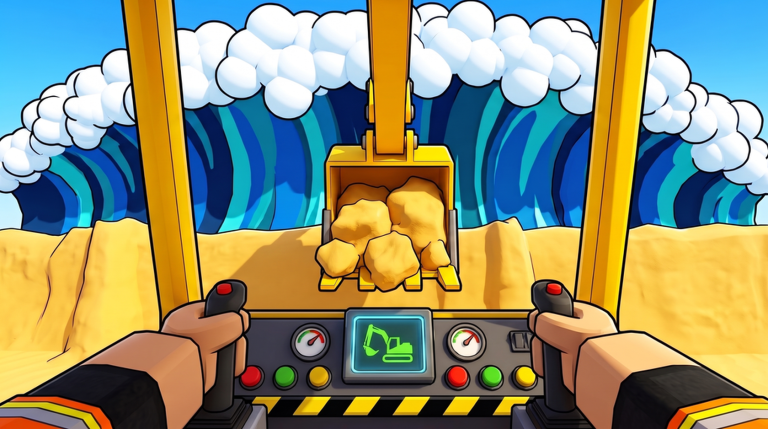
Welcome to the Guides Hub for Stop The Tsunami! on Roblox by creator jzf25. A giant tsunami rolls toward town every round. Your job is simple to say and hard to master: dig sand, pile it into walls, carve trenches, pack the structure hard, press START ROUND, and survive the hit. Coins for held waves fund better tools, heavier machines, and late materials like gravel, boulders, clay, and concrete. After you clear stages the beach widens and waves grow, so yesterday’s toy-spade wall will not save tomorrow’s shoreline.
This hub is the map for every how-to on the wiki. Use it when you need a day-one checklist, a wall recipe that does not collapse, a machine shopping order, Hard mode prep, a clean co-op role split, or the free lobby systems that matter while codes stay empty. Pair these guides with the Tier List Hub for ranking decisions, the Codes Hub for lobby redemptions, and the controls page so dig, drive, and pack inputs feel automatic under pressure.
Start here if you are new
Open the Getting Started walkthrough first. It covers joining the experience, claiming the Daily Spin and daily rewards, joining the Beach Club group for a free Rewind, building your first Easy sand walls, earning coins, buying the first shovel upgrade, and knowing when it is safe to press START ROUND. That single page prevents the most common early wipe: starting the wave before the wall is continuous and packed. When you want deeper lobby freebie detail, continue into the dedicated Daily Rewards Guide and Beach Club Rewind Guide.
Defense and construction
Walls win or lose the round before the water arrives. Read Build Defenses for dig patterns, pile height, trench placement, packing discipline, and mid-wave repair habits. It also explains why thin ridges, hollow cores, and unfinished edges fail when the tsunami hits. When Easy becomes comfortable, jump to Hard Mode for stronger materials, Rewind timing, and prep checklists that match taller, meaner waves.
Machines and money
Gear progression runs toy spade → shovels → bulldozer → skid steer → excavators → dump truck. The Upgrade Machines guide ranks coin priorities and explains when heavy machines matter as the beach widens after cleared stages. Cross-check every purchase against the machine tier list so you do not dump early coins into vanity upgrades while the wall still needs a faster digger.
Play with friends
Stop The Tsunami co-op shares one coin wallet and every machine. One player can dig while another drives a dozer and a third patches breaches mid-wave. The Co-op Guide covers shared-wallet strategy, digger / driver / patcher roles, callouts, and Medium / Hard team tips. Solo players still benefit from reading it — the same role ideas apply when you rotate tools yourself between dig, pack, and repair.
Difficulty ladder
The experience offers Easy, Medium, and Hard. Easy teaches wall shape and packing. Medium forces cleaner trenches and earlier machine investment. Hard expects gravel, boulders, clay, concrete, excavators, and coordinated repairs. Do not skip Easy forever if your walls still leak; speed-running into Hard with a toy spade and loose sand is a coin sink, not a flex.
Daily systems and codes
Free retention systems are the main free income while promo strings stay empty. Claim the Daily Spin and daily rewards every session before you dig — full lobby claim order, streak habits, and co-op etiquette live on the Daily Rewards Guide. Join Beach Club for the free Rewind so a single bad START ROUND does not erase a long build; claim steps and good vs bad Rewind calls are on the Beach Club Rewind Guide. Codes redeem in the lobby CODES area. As of November 2026 there are no active public codes, but the box still works — keep the Codes Hub bookmarked for the next drop. After the mid-November patch window, re-verify Spin, rewards, and Rewind using the November 2026 Status note.
How to use this hub
- New account → Getting Started + controls.
- Lobby freebies → Daily Rewards Guide + Beach Club Rewind.
- Walls keep breaking → Build Defenses + materials tier list.
- Coins feel slow → Upgrade Machines + machine tier list.
- Ready for a challenge → Hard Mode + Updates.
- Playing with friends → Co-op Guide + Players Hub.
- Free promo check → Codes before you spend Robux or chase Discord lists.
Bookmark this Guides Hub, then deep-dive the child pages below. Every guide links sideways to the others so you can jump from a failed wall to the machine that would have packed it faster, or from a co-op wipe to the Hard mode checklist that should have been finished before START ROUND.
Guide index
- Getting Started — day-one lobby, rewards, Easy walls, first shovel.
- Daily Rewards Guide — Daily Spin, calendar claims, streak habits while codes are empty.
- Beach Club Rewind Guide — join Beach Club, claim free Rewind, good vs bad Rewind calls.
- Build Defenses — dig, pile, trench, pack, repair mid-wave.
- Upgrade Machines — spade through dump truck and coin order.
- Hard Mode — prep, materials, roles, Rewind usage.
- Co-op Guide — shared wallet, digger / driver / patcher.
Also browse Tier List, Codes, Updates, and Players Controls whenever you need rankings, redemptions, patch checklists, or input refreshers between rounds.
Frequently Asked Questions
Quick answers for Stop The Tsunami players.
Which Stop The Tsunami guide should I read first?
Start with Getting Started for lobby rewards, Beach Club Rewind, Easy walls, and the first shovel, then open Build Defenses once you understand when to press START ROUND.
Where are Daily Spin and Beach Club Rewind explained?
Use the Daily Rewards Guide for Daily Spin and calendar claims, and the Beach Club Rewind Guide for joining Beach Club and when to spend Rewind.
Do these guides cover Easy, Medium, and Hard?
Yes. Getting Started and Build Defenses teach Easy foundations. Upgrade Machines and Co-op scale into Medium. Hard Mode covers stronger materials, team roles, and Rewind timing for the toughest waves.
Where do I find codes and controls?
Redeem codes in the lobby CODES area and track them on the Codes Hub. Refresh dig, drive, and pack inputs on the controls page.
Is Stop The Tsunami better solo or with friends?
Both work. Solo teaches every role yourself. Friends share one coin wallet and every machine, so assign digger, driver, and patcher using the Co-op Guide for faster walls on Medium and Hard.
Who created Stop The Tsunami?
The Roblox experience is by creator jzf25. Play it at the official game page and treat this wiki as an unofficial fan guide for walls, machines, and co-op.